Description
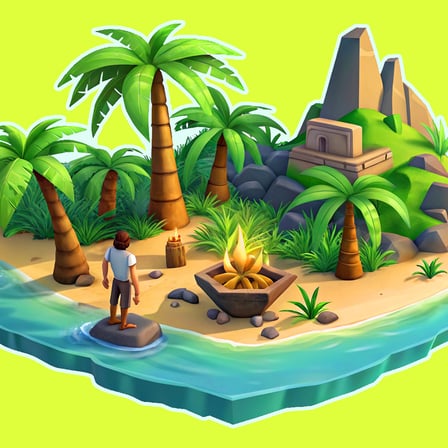
Embark on a unique survival adventure on floating islands in a 3D world, where each island offers valuable resources. Explore vibrant landscapes, battle monsters to grow stronger, and trade with villagers for useful items. Build plantations and breed animals to ensure a steady supply of food and resources. The skies are full of islands, each one holding secrets and challenges. Survive, craft, battle, and thrive in this exciting world!
Game Overview
- Skyblock 3D: Survival is a survival game set on floating islands in the sky.
- You start with very limited resources and must expand your island step by step 🏝️.
Core Survival Mechanics
- Collect basic resources such as wood, stone, and food to survive 🪵🪨.
- Be careful when moving — falling off the island usually means death ❌.
Resource Management Tips
- Do not waste blocks early; every block is valuable in Skyblock ⚠️.
- Expand your island slowly to avoid accidental falls.
- Prioritize renewable resources like trees and crops 🌱.
Crafting & Building
- Use collected materials to craft tools such as axes and pickaxes 🪓.
- Build platforms, bridges, and safety rails to improve mobility and safety 🏗️.
- Craft storage chests early to organize resources efficiently 📦.
Exploration & Progression
- Some maps contain multiple floating islands with unique resources 🌌.
- Build bridges carefully to reach new islands and unlock more content.
- Exploration is risky but often rewards rare materials 💎.
Beginner Survival Tips
- Always keep extra blocks in your inventory in case of emergencies 🧱.
- Build guard rails or walls around edges to prevent falling.
- Focus on survival and stability before attempting large expansions 🎯.
How To Play
For computer: - Move: W, A, S, D - Jump: Spacebar - Break blocks: Hold down LMB - Place blocks: RMB / F - Inventory: E - Pause: Tab - Help: J - Drop: Q (Shift+Q Drop full slot) For mobile devices: - Move: Left Joystick - Jump: Arrow icon button - Break blocks: Hold down the sword icon button. - Stack blocks: Hold down the cross icon button. - Inventory: Orange button in the middle of the screen. - Pause: Purple button in the upper right corner of the screen